How to Enter Assistant Manager Bonuses
1. Log on to the Data Link Website
2. Click on the Payroll tab and click on Assistant Manager Bonuses
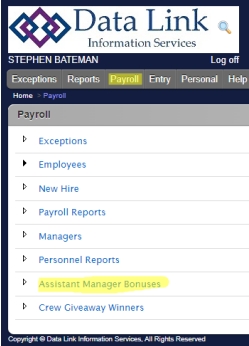
3. You will be brought to a list of your assistant managers, if you do not see someone you’re looking for, follow the steps on the second page.
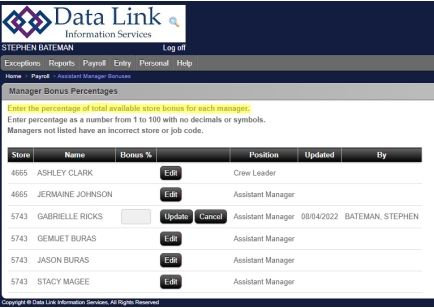
4. Hit the Edit button to enter their bonus percentage. When you are finished, hit Update.
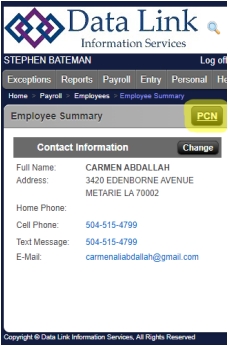
5. If you are missing an assistant manager, you will need to promote them. Search for the employee and click on the PCN button on the Employee
Summary screen.
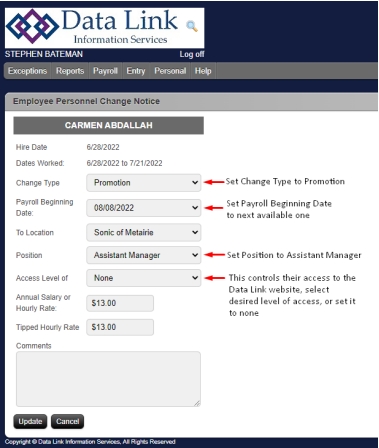
6. Follow the steps in this screenshot and now that employee should show up
on the Assistant Manager Bonuses screen.